
Scan or enter details
Use a barcode scan, type the product information or capture a photo to create a useful chemical record.
Use a phone or tablet to record chemicals where they are found, assign them to the correct location and collect the details that make SDS research and employee search more reliable.
The mobile Inventory Tool is built into the portal. It provides an inventory form and list view, location selector, product and manufacturer fields, UPC scanning, product photos and optional quantity controls.
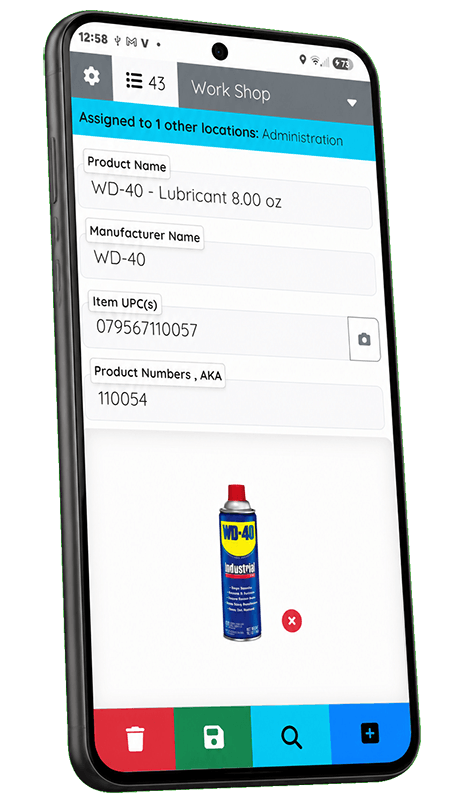
Build an inventory from scratch, update existing records, or combine mobile collection with CSV imports and manually entered records.
Use a barcode scan, type the product information or capture a photo to create a useful chemical record.
Inventory records stay associated with the selected work area, room, building or other location in your structure.
Use inventory dates and filters to see what has been inventoried, what is new and what still needs attention.