
Export by location
Choose one or more locations and receive a separate worksheet tab for each selected location in the output workbook.
Export the inventory data you need, preserve filters in the output and let each administrator choose the portal events that should trigger an email notification.
The Reports window exports selected data to Excel. Choose locations, document status, inventory status, date cutoffs and output columns, or carry the table filters already active in the administrative dashboard into the report.
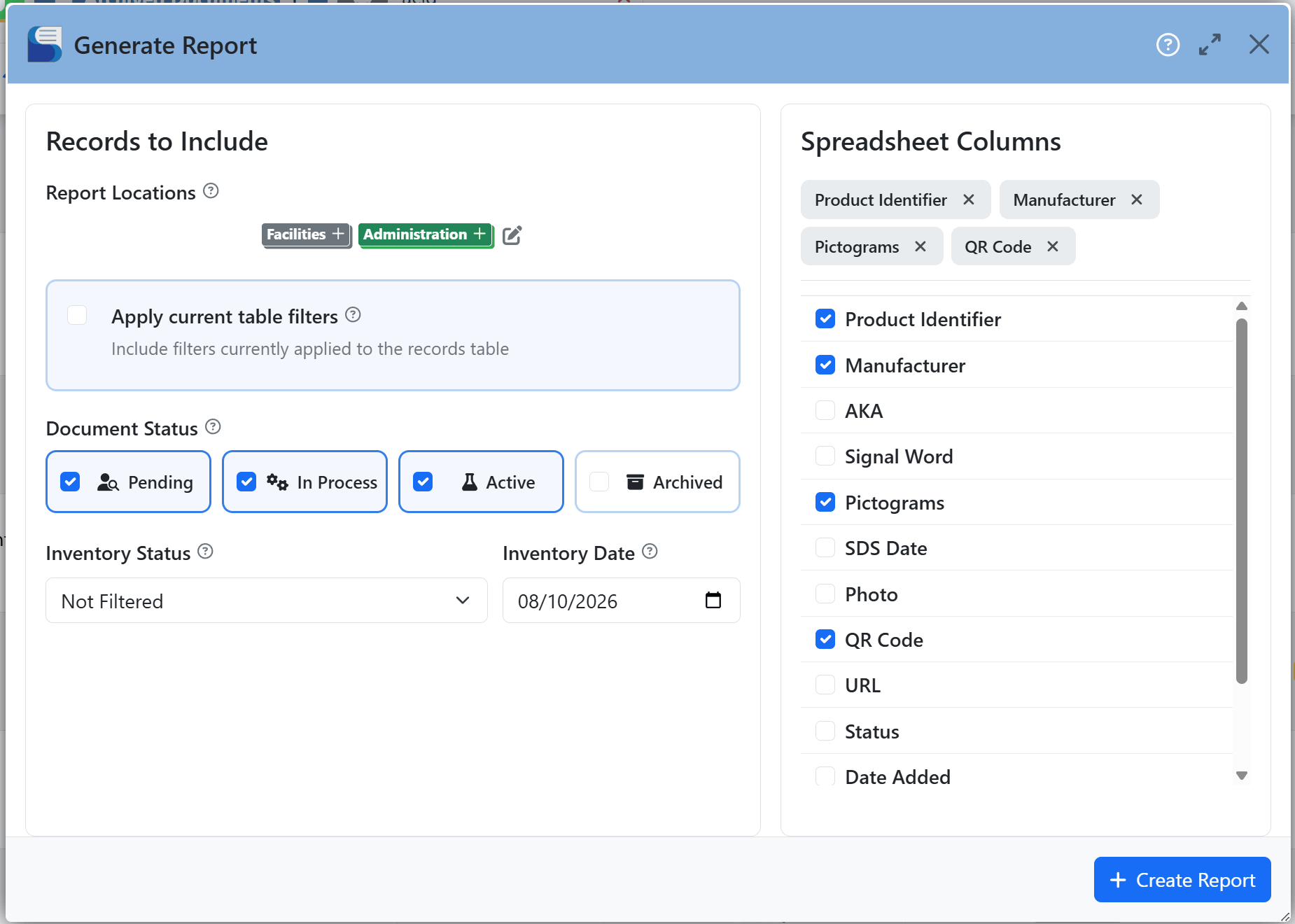
Use reporting for structured inventory outputs, portal statistics for a view of system use and notifications to keep administrators aware of selected changes.
Choose one or more locations and receive a separate worksheet tab for each selected location in the output workbook.
Bring an active table view into the report rather than starting a new selection process from scratch.
Administrators can opt into email notifications for events such as employee requests, fulfilled records and deleted records.